May 20, 2024
Why your app promos feel cheap (and how to fix them)
You’ve spent months polishing the code, fixing bugs, and refining the UX. Your app is objectively great. But when you record a screen capture and post it to X or Instagram, it looks... amateur. It lacks that "premium" feel you see in the big-budget commercials from Apple or top-tier startups.
The problem isn't your app; it's the presentation. To stop the scroll and drive downloads, you need to learn how to create apple style app promo video assets that communicate quality before the user even reads your caption.
The "Flat Video" Trap
Most indie makers rely on a simple screen recording played back on a flat background. While this is honest, it's visually boring. Flat videos lack depth, shadows, and perspective. In the brain of a potential user, "flat" equals "basic."
When a video lacks dimension, it fails to trigger the professional associations we've been conditioned to expect from high-end software. You aren't just showing a feature; you are signaling the quality of your engineering. If the promo looks like it was made in thirty seconds with a built-in screen recorder, users subconsciously assume the app was built with the same lack of attention to detail.

The Psychology of Perceived Value
High-converting promos use cinematic depth to create "perceived value." Think about the way a new iPhone is revealed in a keynote: the camera glides over the titanium edges, the light catches the glass, and the device rotates slowly to show the form factor.
This isn't just vanity; it's a psychological cue. Dynamic movement and realistic lighting tell the viewer that this product is a physical, polished entity. When your app is placed inside a realistic 3D environment, it stops being a "project" and starts being a "product."
The gap between a cheap-looking promo and a premium one usually comes down to three things:
- Depth: Moving the camera instead of just the screen.
- Lighting: Using highlights and shadows to create form.
- Context: Placing the UI inside a device that looks and feels real.
Moving Beyond Static Mockups
To bridge this gap, you need a way to introduce motion. Many creators start with browser-based tools like Shots.so. These are fantastic for static layouts and quick social posts. However, they are fundamentally 2D tools. They can't render true camera pans or the way light shifts across a screen during a rotation.
If you want to create a truly cinematic sequence, the traditional path is software like Blender. But for a solo dev, Blender is often a trap. The learning curve is a vertical cliff, and spending forty hours learning vertex manipulation just to make a fifteen-second clip is a poor use of your time.
You need a middle ground: the power of a 3D engine with the speed of a mobile app.

How to create apple style app promo video assets quickly
You don't need a design degree or a workstation PC to get professional results. The goal is to get your screen recording into a 3D space where you can manipulate lighting and camera movement in real-time.
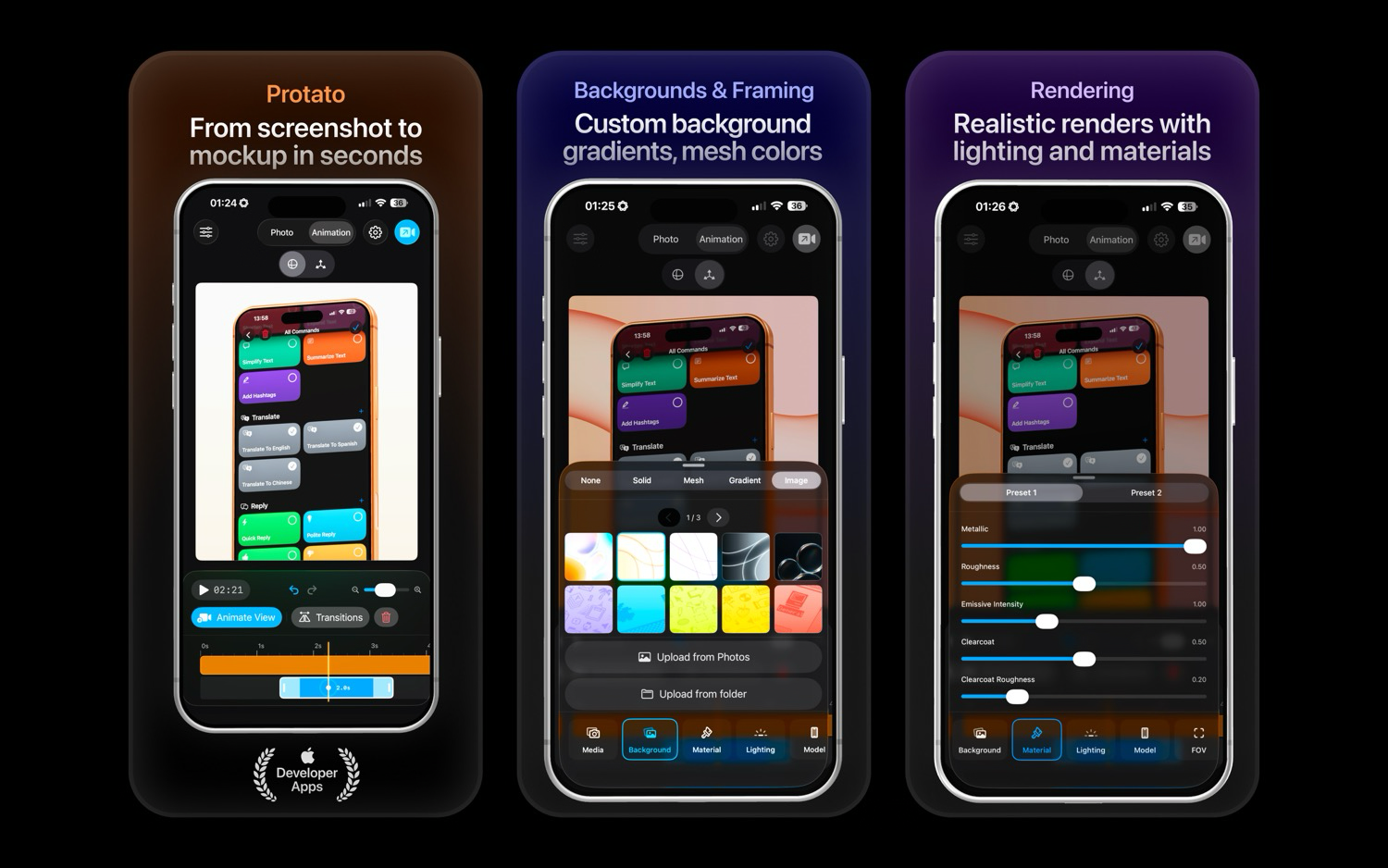
This is where Protato fits into your workflow. Instead of fighting with complex 3D software, you can use Protato on your Mac, iPad, or iPhone to turn a flat recording into a cinematic asset.
Here is the streamlined workflow to fix "cheap" visuals:
- Insert your demo: Drop your app screen recording directly into a high-fidelity model (like the iPhone 17 Pro Max).
- Set the mood: Switch from "Flat" to "Dramatic" or "Studio" lighting. This instantly adds the reflections and highlights that signal high production value.
- Add cinematic motion: Use the animation tools to create a smooth zoom or a slow rotation. When the device moves in 3D space, the perceived value of the app inside it rises.
- Export in 4K: Professionalism is in the pixels. Exporting a 4K video ensures your promo looks crisp on any screen, from a MacBook Pro to a TikTok feed.
Whether you are working at your desk or tweaking a clip on your phone while commuting, the process takes minutes, not days.
Stop settling for "good enough" visuals
Your app deserves a presentation that matches its functionality. You can continue using flat screen recordings and hoping people overlook the polish, or you can use a tool that gives you a professional edge without the design overhead.
If you're ready to stop the scroll and make your app look like a category leader, give Protato a try.
Create your first cinematic app promo with Protato on the App Store

Felix Tran
Indie Developer & Protato Editorial Lead
Write about everyday workflows. Especially around design, writing, and shipping ideas fast